# How I Approach Building a Website from Idea to Launch
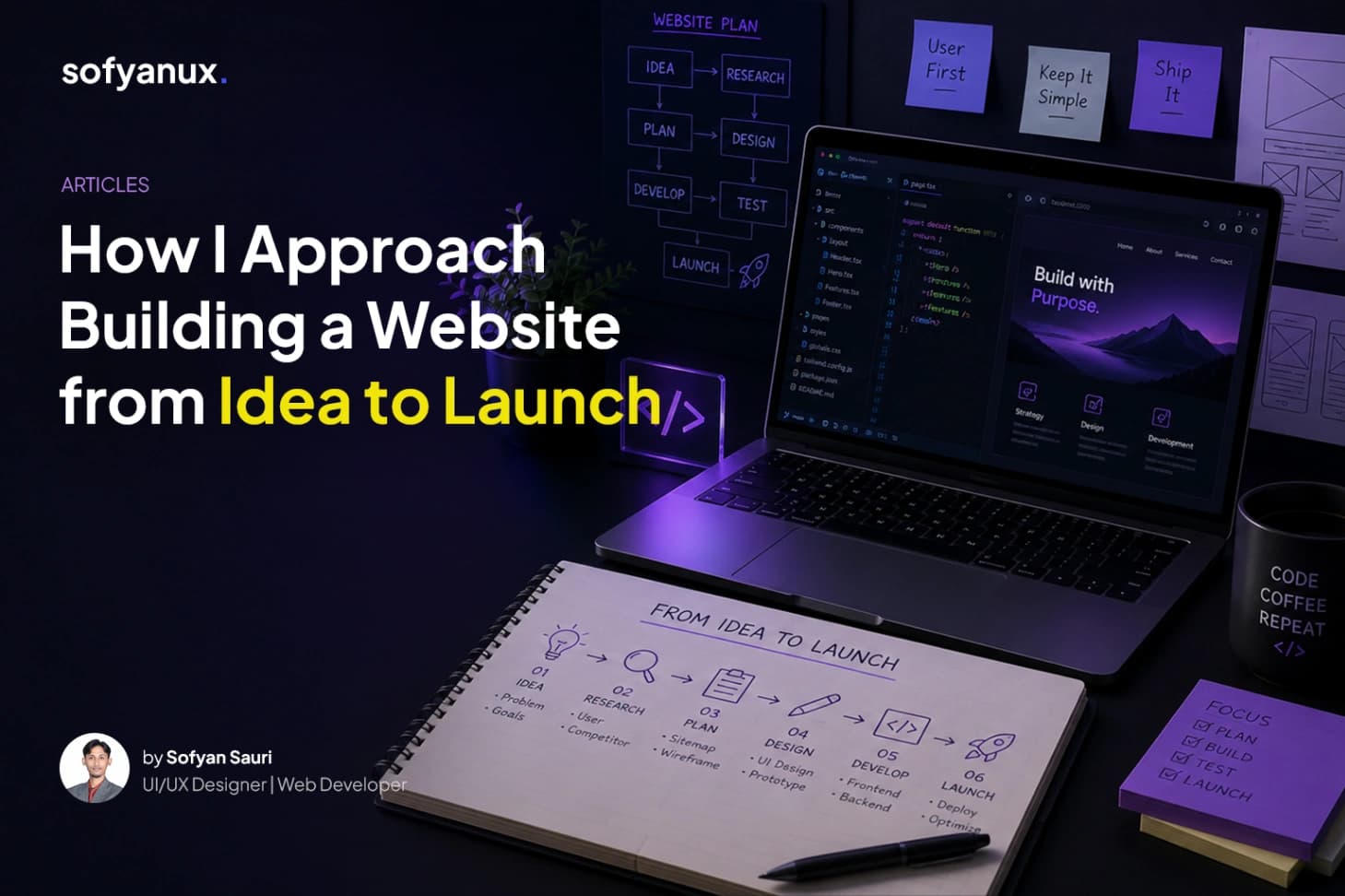
Building a website is not only about writing code or arranging sections on a page. A good website starts with understanding what it needs to achieve.
Before jumping into design or development, I like to understand the goal first. Who will visit the website? What do they need to know? What action should they take? What kind of impression should the website create?
Those questions help shape the direction of the entire project.
## 1. Understanding the goal
Every website has a purpose.
For a personal portfolio, the goal might be to show credibility and attract project opportunities. For a company profile, it might be to explain services and make the business easier to contact. For a landing page, it might be to convert visitors into leads.
When the goal is clear, every design and content decision becomes easier.
## 2. Structuring the content
After understanding the goal, I usually start by organizing the content.
This includes planning the main pages, navigation, sections, and information flow. A good structure helps visitors move through the website naturally.
For example, a basic portfolio website might include:
- Home
- Work
- Case Studies
- About
- Blog
- Contact
The goal is to make the website easy to explore without making visitors think too hard.
## 3. Designing the interface
Once the structure is clear, the visual design can start.
At this stage, I focus on hierarchy, spacing, typography, layout, and how each section supports the content. The design should feel clean and intentional, not just decorative.
I also think about how the website will feel across desktop, tablet, and mobile. A layout that looks good on a large screen still needs to work well on smaller devices.
## 4. Building the frontend
After the design direction is defined, I move into frontend development.
I usually focus on building reusable components so the website is easier to maintain. Buttons, cards, sections, headers, content blocks, and layout containers should follow a consistent system.
This makes the website cleaner from both the user side and the code side.
## 5. Setting up dynamic content
For websites that need regular updates, a CMS is very useful.
A CMS allows content like portfolio projects, blog posts, profile information, images, and case studies to be updated without editing code directly.
This is especially helpful for personal portfolios, business websites, and content-driven websites.
## 6. Testing and refinement
Before launch, I check the website across different screen sizes and review the details.
Some of the things I usually check include:
- Responsive layout
- Button and link behavior
- Image loading
- Text readability
- Empty states
- SEO metadata
- Basic performance
- Form behavior
Small details matter because they affect how polished the final experience feels.
## 7. Launching and improving
Launching the website is not always the end. Sometimes it is just the beginning.
After a website is live, it can still be improved based on feedback, analytics, new content, or changing business needs.
A good website should be flexible enough to grow over time.
## Final thoughts
My approach to building websites combines design thinking, visual clarity, and clean implementation.
The goal is not only to create something that looks good, but to build a website that is useful, easy to manage, and aligned with the purpose behind it.

# How I Approach Building a Website from Idea to Launch
Building a website is not only about writing code or arranging sections on a page. A good website starts with understanding what it needs to achieve.
Before jumping into design or development, I like to understand the goal first. Who will visit the website? What do they need to know? What action should they take? What kind of impression should the website create?
Those questions help shape the direction of the entire project.
## 1. Understanding the goal
Every website has a purpose.
For a personal portfolio, the goal might be to show credibility and attract project opportunities. For a company profile, it might be to explain services and make the business easier to contact. For a landing page, it might be to convert visitors into leads.
When the goal is clear, every design and content decision becomes easier.
## 2. Structuring the content
After understanding the goal, I usually start by organizing the content.
This includes planning the main pages, navigation, sections, and information flow. A good structure helps visitors move through the website naturally.
For example, a basic portfolio website might include:
- Home
- Work
- Case Studies
- About
- Blog
- Contact
The goal is to make the website easy to explore without making visitors think too hard.
## 3. Designing the interface
Once the structure is clear, the visual design can start.
At this stage, I focus on hierarchy, spacing, typography, layout, and how each section supports the content. The design should feel clean and intentional, not just decorative.
I also think about how the website will feel across desktop, tablet, and mobile. A layout that looks good on a large screen still needs to work well on smaller devices.
## 4. Building the frontend
After the design direction is defined, I move into frontend development.
I usually focus on building reusable components so the website is easier to maintain. Buttons, cards, sections, headers, content blocks, and layout containers should follow a consistent system.
This makes the website cleaner from both the user side and the code side.
## 5. Setting up dynamic content
For websites that need regular updates, a CMS is very useful.
A CMS allows content like portfolio projects, blog posts, profile information, images, and case studies to be updated without editing code directly.
This is especially helpful for personal portfolios, business websites, and content-driven websites.
## 6. Testing and refinement
Before launch, I check the website across different screen sizes and review the details.
Some of the things I usually check include:
- Responsive layout
- Button and link behavior
- Image loading
- Text readability
- Empty states
- SEO metadata
- Basic performance
- Form behavior
Small details matter because they affect how polished the final experience feels.
## 7. Launching and improving
Launching the website is not always the end. Sometimes it is just the beginning.
After a website is live, it can still be improved based on feedback, analytics, new content, or changing business needs.
A good website should be flexible enough to grow over time.
## Final thoughts
My approach to building websites combines design thinking, visual clarity, and clean implementation.
The goal is not only to create something that looks good, but to build a website that is useful, easy to manage, and aligned with the purpose behind it.